ELECFREAKS micro:bit Joystick:bit V2 Kit

Robotics Kits
ELECFREAKS micro:bit Joystick:bit V2 Kit
USD 15.90

In Stock (15 available)

About this Product

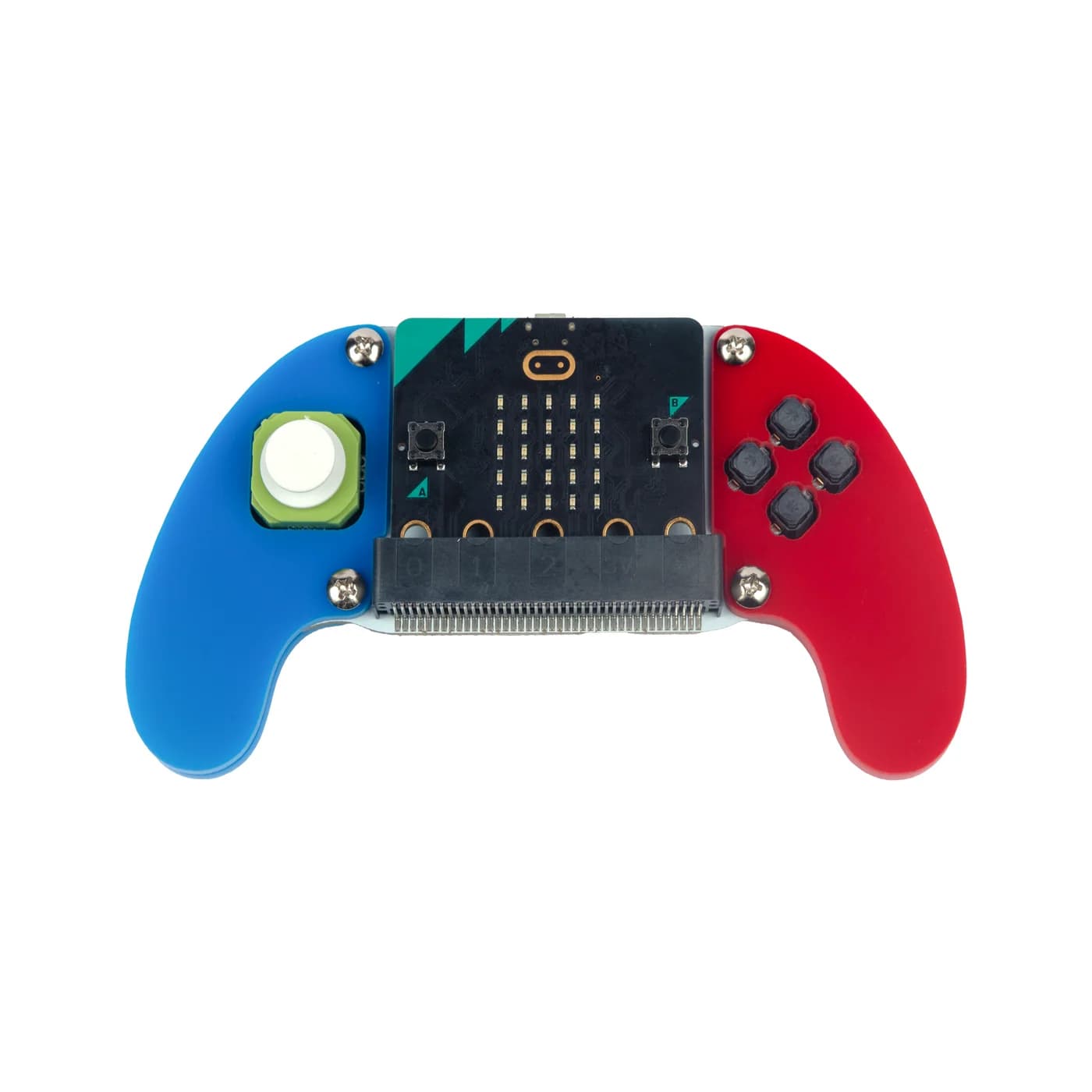
Joystick:bit V2 is a gamepad based on the micro:bit. It contains a 4-direction joystick and 4 undefined (customizable) buttons. At the same time, it enhances the gaming and remote control experience with its onboard buzzer and vibration motor. Specially designed for primary and middle school students with ergonomics in mind, its small and slim shape allows children to hold the gamepad comfortably. It is thinner, lighter, and easier to manage and transport compared to traditional PS2-style joysticks. It serves as a versatile remote controller compatible with various ELECFREAKS robots, including the Smart Cutebot, TPBot, Ring:bit V2 Car, and 32-in-1 Wonder Building Kit.

Features

4-Direction Joystick & 4 Undefined Buttons: Fully programmable directional and action inputs.
Haptic & Audio Feedback: Onboard vibration motor and buzzer for immersive interaction.
Ergonomic Design: Mini shape and comfortable grip tailored specifically for young students
Slim Profile: Lightweight (~20 mm thickness) for enhanced portability over standard controllers
Auto Power-Off: Automatically powers off when the micro:bit board is unplugged
GVS Expansion Port: Includes 1 GVS expansion port for additional pin header soldering and module extensions
Multi-Language & Platform Support: Compatible with MakeCode (Block / JavaScript / Python) and supported by official extension packages

What's Included

  • 1 × Joystick:bit V2 Board / Controller
  • 4 × Acrylic Handle Pieces (with protective films)
  • 1 × Screwdriver
  • 1 × Screw Pack

Specifications

The Joystick:bit V2 interfaces directly with the BBC micro:bit via edge connector pin mapping. It is powered by two AAA batteries located on the back and communicates signal data across specific micro:bit GPIO ports.

Product ModelEF08231
Compatible BoardBBC micro:bit (V1 / V2)
Power Supply2 × AAA Batteries
Joystick Pin MappingX-axis → P1, Y-axis → P2
Button Pin MappingButton C → P12, Button D → P13, Button E → P14, Button F → P15
Buzzer Pin MappingP0
Vibration Motor Pin MappingP16
Supported Programming LanguagesMakeCode (Graphical), JavaScript, Python
Target Age Range6+ / Primary & Middle School Students